Qalibr documentation
Qalibr turns the bug reports your team already posts in chat into triaged, classified, deduplicated, routed tickets, without anyone filling out a form. This guide covers getting set up and understanding how Qalibr reads, judges, scores, and routes every report.
Sign up, connect Slack and your tracker, and watch your first bug get triaged end to end in under 30 minutes.
QuickstartHow Qalibr judges, scores, and deduplicates every report, in plain product terms.
Core conceptsThe dashboard, approvals, rules, templates, and the reporter loop.
Using QalibrPlans, the enrichment meter, overage, and managing your subscription.
Billing & plansWhat Qalibr does
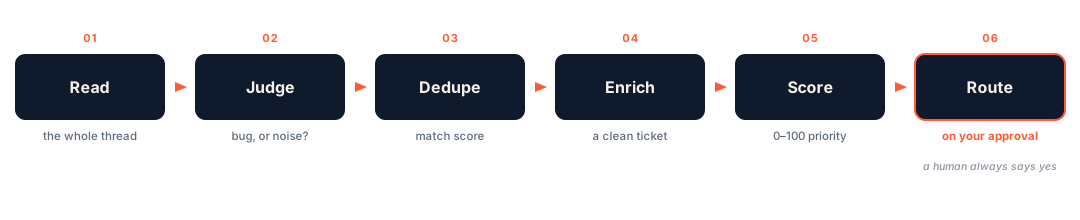
Someone reports a bug in a channel Qalibr watches — or you paste one in. From there Qalibr:
- Reads the whole thread and pulls out a title, severity, and reproduction details.
- Judges what the report is (a real bug, a question, a feature request, user error, an incident, and so on) so noise never becomes a ticket.
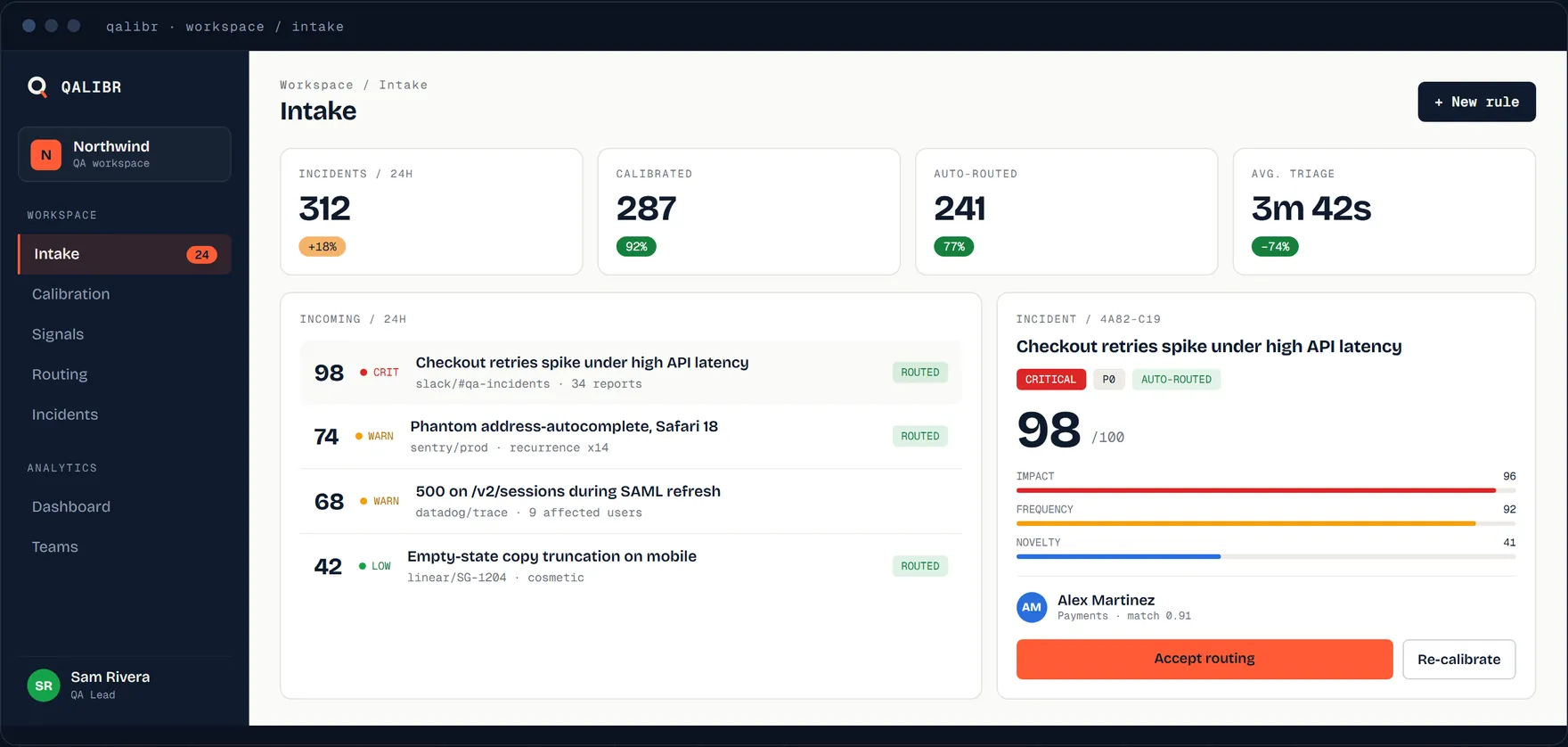
- Scores it with a Signal score (0–100) so the reports that matter rise to the top.
- Checks for duplicates and surfaces the closest matches with a Match score.
- Enriches it into a clean, structured write-up.
- Routes it to your tracker when you approve, as a new issue or linked to the one it matches.
You stay in control: nothing reaches your tracker until someone approves it.
Today Qalibr reads from Slack — or from a report you paste into the dashboard — and routes to Linear or Jira. More chat sources and trackers are on the way.
Where to start
New here? Start with the Quickstart for the hands-on path. Want to understand the scoring and judgment first? Read Judgment & classification.